Result
Result is the project library for generated outputs. Use it to find a job, inspect its status, and open a ready option in Studio.
Find an output
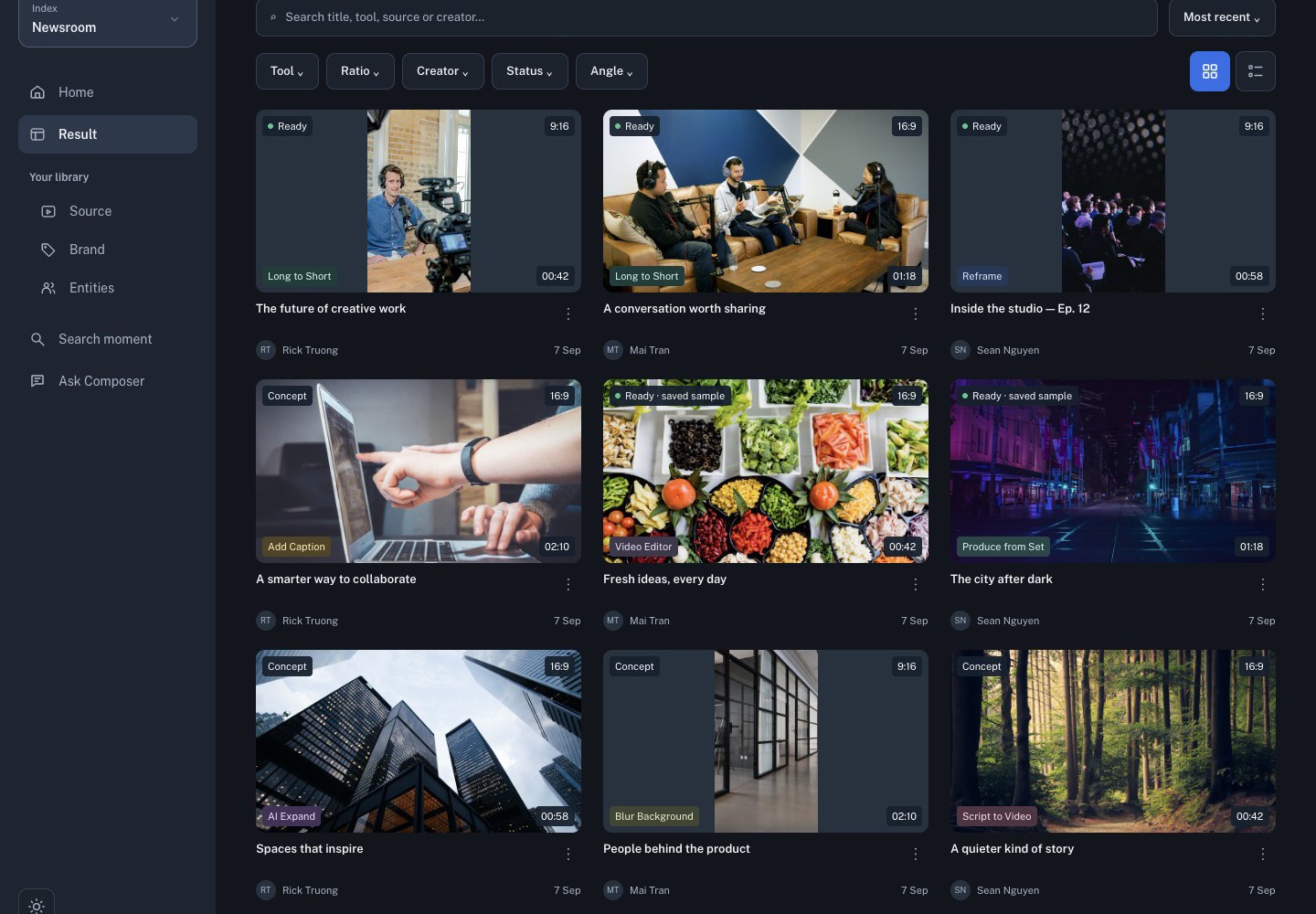
Search by title, tool, source, or creator. Use the tool, ratio, creator, and status filters to narrow the library, then choose the grid or list view that makes review easiest.
A result card can show:
- the current status, such as Ready, Concept, or a failure state;
- the tool that created it;
- aspect ratio and duration;
- the creator and date;
- a menu with additional actions.
Open the right option
Open a card only after the status says it is ready for review. If a project has multiple options, compare their ratio, duration, and source before choosing Open in Studio. A queued or failed card is useful for diagnosis but is not a finished video.
Review before delivery
A generated result is a first cut. In Studio, play the whole draft and check the script, captions, crop, aspect ratio, audio, brand treatment, and intro/outro. Export only after the visible result matches the brief.