Ask a cited question and open the video
Use Ask Composer when you need to understand a source before selecting the edit. The current workspace keeps the answer, citations, source preview, and saved moments in one place.
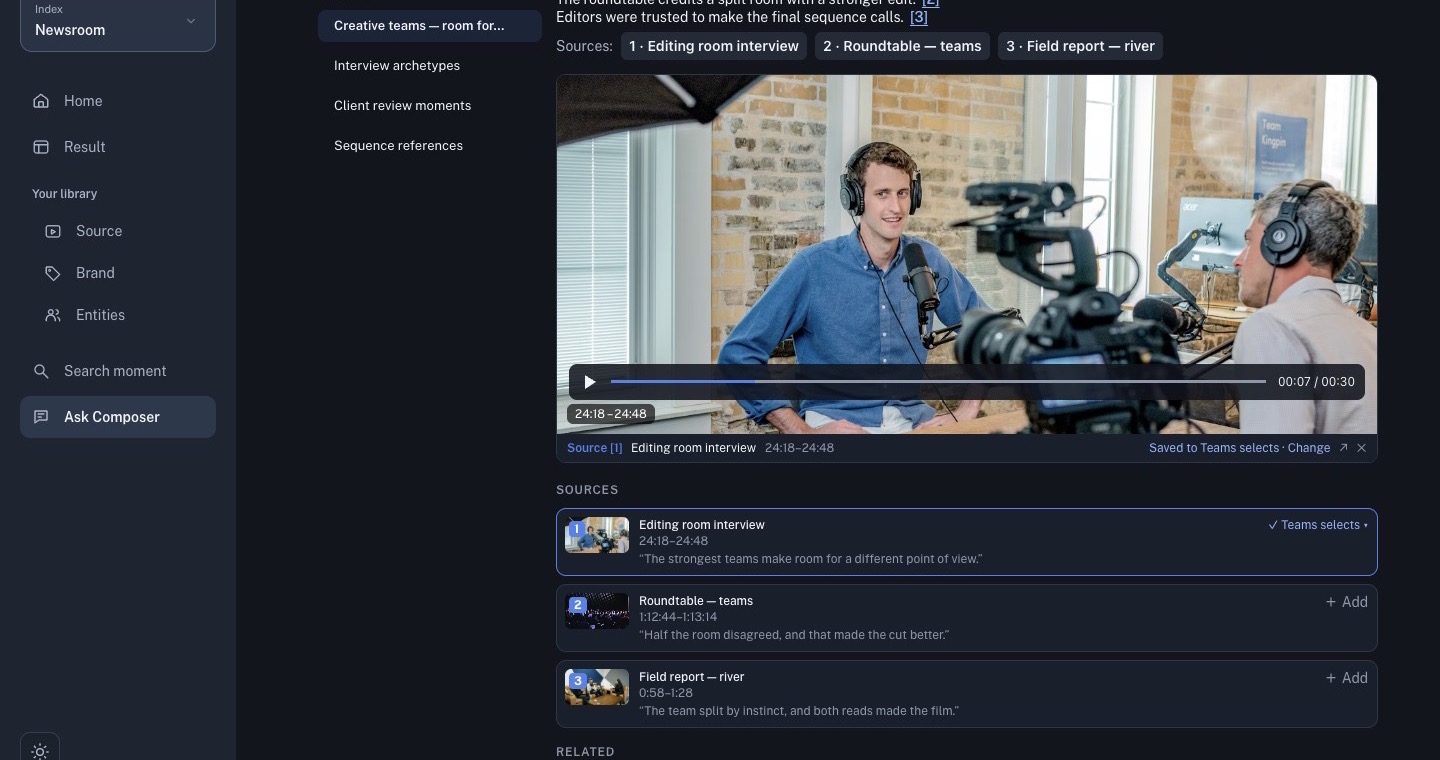
1. Select the evidence
Open Ask Composer, start a chat, and select the smallest source set that can answer the question. Avoid selecting the whole library when one source is enough.
2. Ask a source-grounded question
Write what you need to know and require citations:
What moments support this story angle? Cite the source ranges and do not add facts that are not visible or spoken.
For historical footage, say that it is historical. For editorial research, separate what the source shows from what you want to investigate next.
3. Open and verify a citation
Select a citation beside the claim you plan to use. Check the source title, range, image, speech, and surrounding context. Playback can continue beyond the cited range; use that context to decide whether the moment is useful.
4. Save only verified evidence
Save a cited card to a focused set after checking it. Then continue with Search, curate, produce, and review.