Search moment
Search moment finds moments across the sources you select. Search by a scene, topic, person, visual detail, or spoken idea, then verify each candidate before saving it.
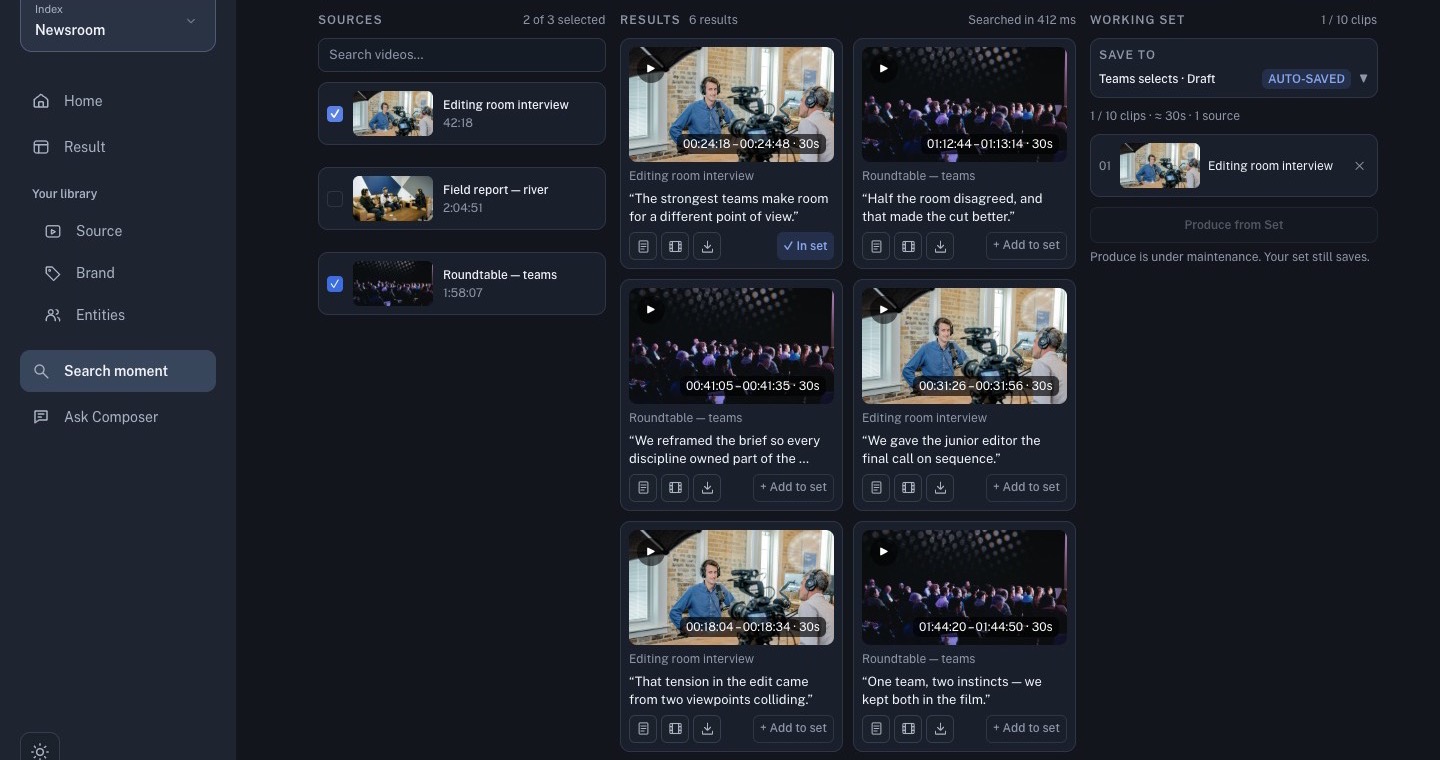
Search a selected source set
- Select only the ready sources that can answer the editorial question.
- Enter a plain-language query.
- Choose Semantic, Lexical, or Hybrid when available.
- Use Filters when you need to narrow the search.
- Select Search and review the returned cards.
Semantic search looks for meaning; lexical search is useful for exact wording; hybrid search combines both. Turn on the available visual or transcript signals when the story depends on both picture and speech.
Verify before saving
A ranked card is a suggestion, not a finished clip. Play the candidate and check the source title, timestamp, picture, dialogue, and surrounding context. Reject duplicates and moments that do not support the story.
Use Add to set to save a verified card. The Working Set panel shows the set destination and current clip count. Keep the set focused so the next generation brief has a clear source pool.
Search with an entity
When an entity is available and ready, use the entity control or an @ mention to narrow the search. Treat entity matches as discovery aids: confirm the face, source, time range, and context in the actual video before using the result.
Counts, ranking order, and available filters can change as the index changes.