Working sets
A Working Set is a focused pool of source windows for one story. It is not a copy of the full library and it is not the final edit.
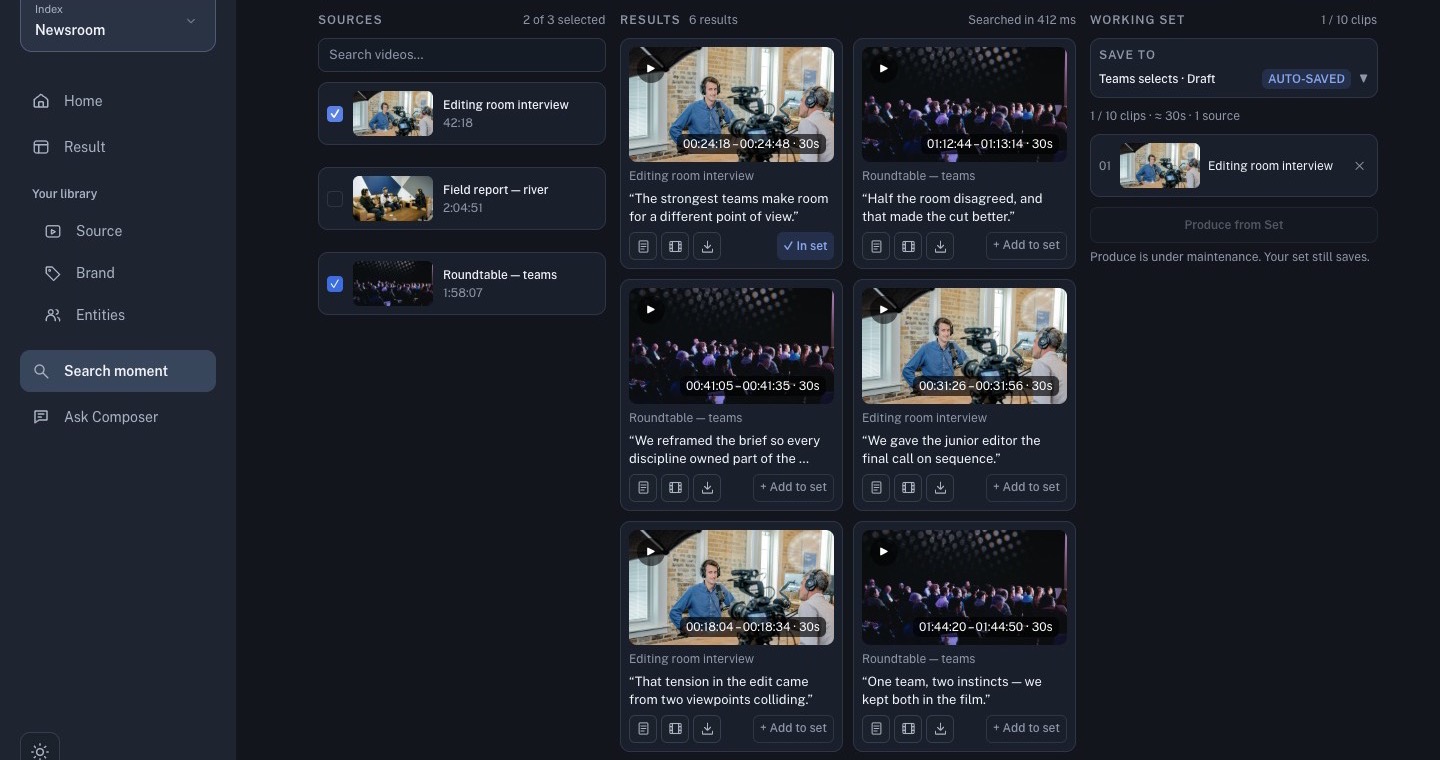
Create a set
- Open Search moment or Ask Composer.
- Verify a result against the original source.
- Select Add to set.
- Choose an existing set or create a new one.
- Confirm the destination and clip count.
Keep one story per set. Remove weak or duplicate clips, and arrange the order before opening Produce from Set.
Write the brief
State the audience, story angle, opening moment, target duration, output ratio, and anything that must not be invented. The source windows constrain what Composer can use, but the brief still needs a clear editorial goal.
Before you produce
Check that:
- every clip belongs to the intended source;
- timestamps and surrounding context are correct;
- the order makes sense;
- the set contains enough evidence for the brief;
- the selected set is the one you intend to hand to generation.
The current product may change the set limit or available actions by workspace. Use the live count and button labels as the source of truth.