Search, curate, produce, and review
This workflow shows the current public Composer path from Search moment to Result and then Studio. It uses screenshots from the current demo UI; the exact source names, result counts, and processing states can change.
1. Find a moment
Open Search moment from the sidebar. Select one or more ready sources, enter a plain-language query, choose the retrieval mode that fits the question, and select Search.
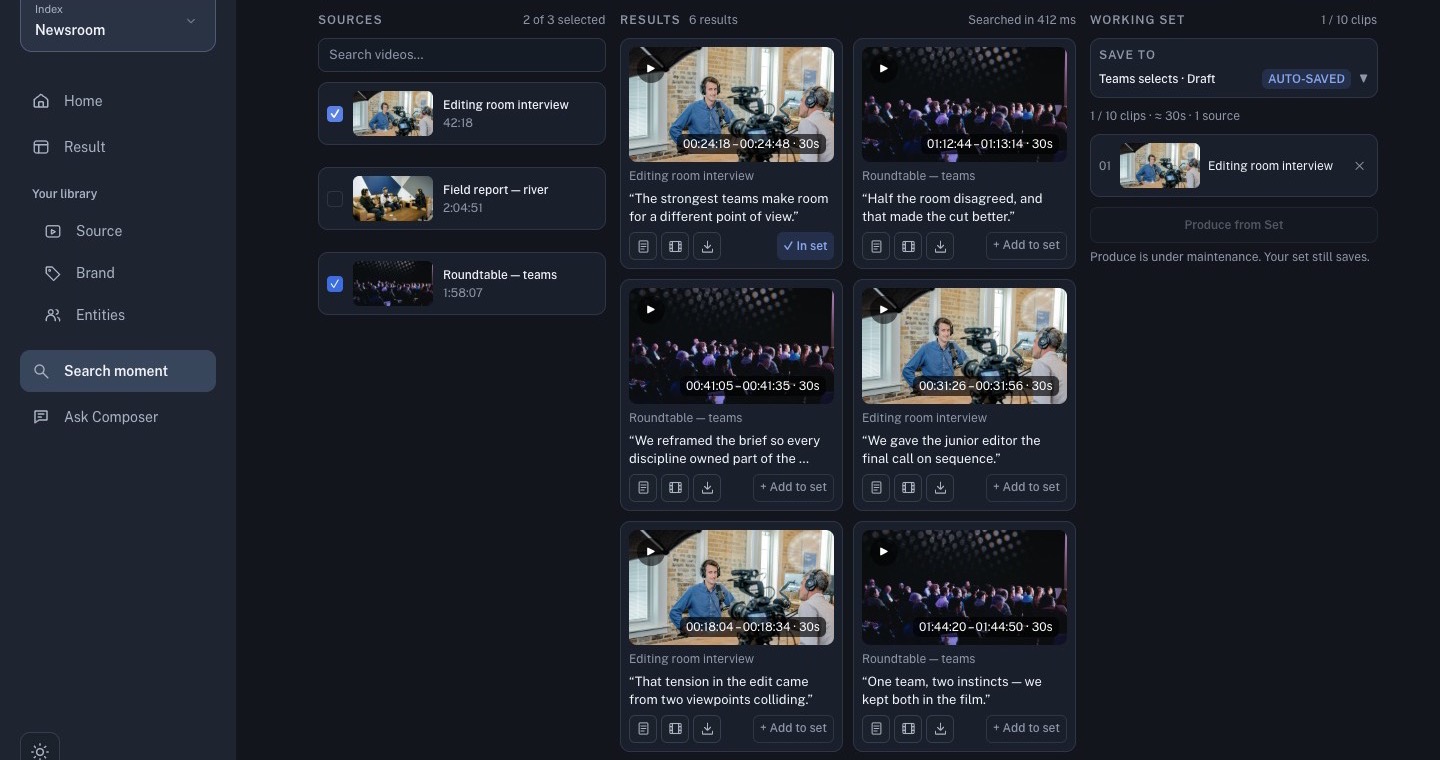
Use the result cards as evidence, not as final editorial decisions. Play a candidate, check the source title and time range, and keep only moments that support the story you are making.
2. Save a focused set
Use Add to set on a verified result, or create a new set from the Save to control. Keep the set small enough to review. A set is a pool of source windows, not a finished edit.
Before producing, check:
- every clip comes from the intended source;
- the order supports the story;
- duplicates and weak context have been removed;
- the set count reflects what you actually want to hand to the editor agent.
3. Generate a first cut
Choose Produce from Set when the set is ready. Write a brief that states the audience, angle, target duration, output ratio, and anything the cut must not invent. Submit once, then follow the job in Result.
Do not treat a queued or failed result as a finished video. Open the generated option only when it reports that it is ready for review.
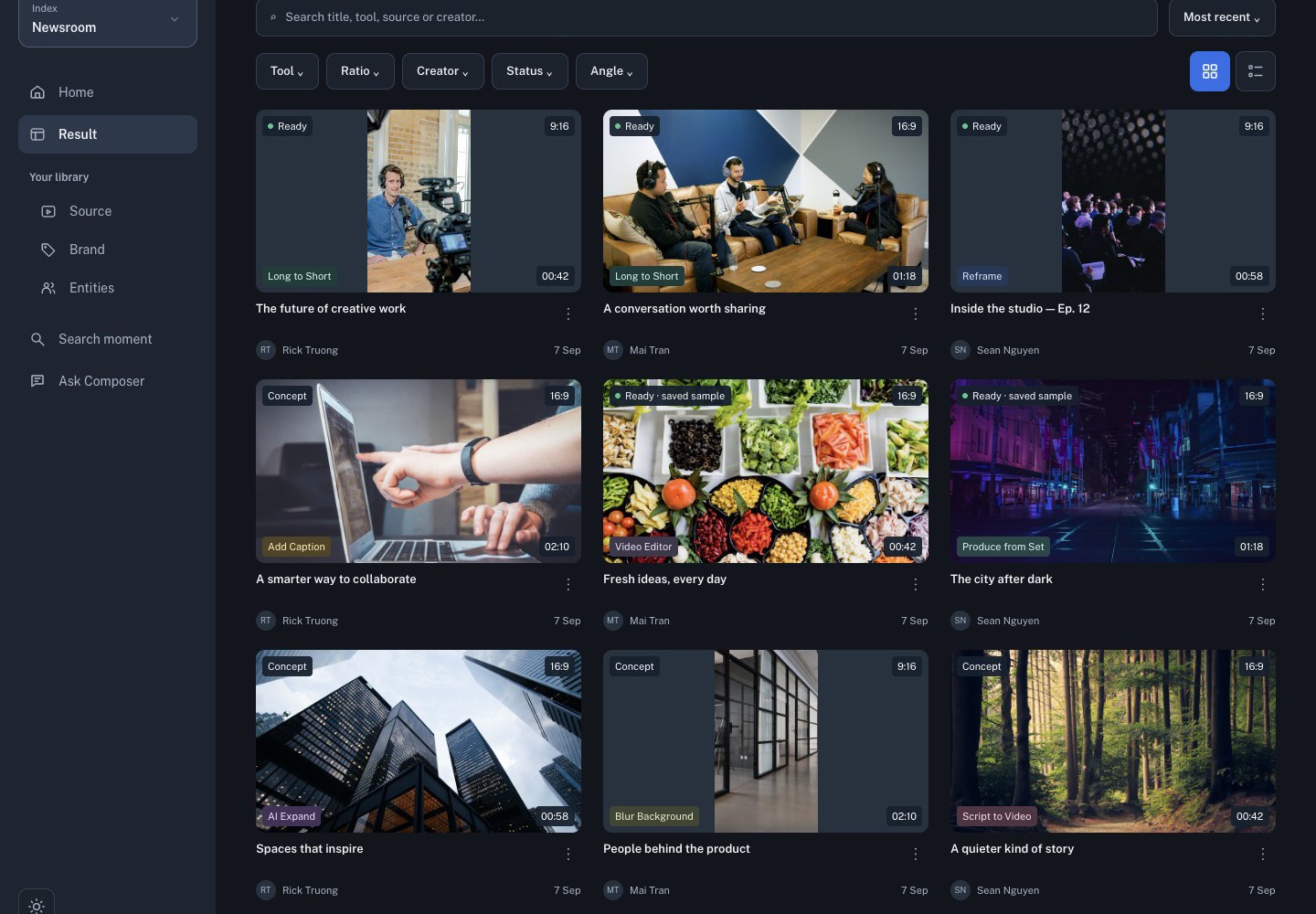
4. Review in Studio
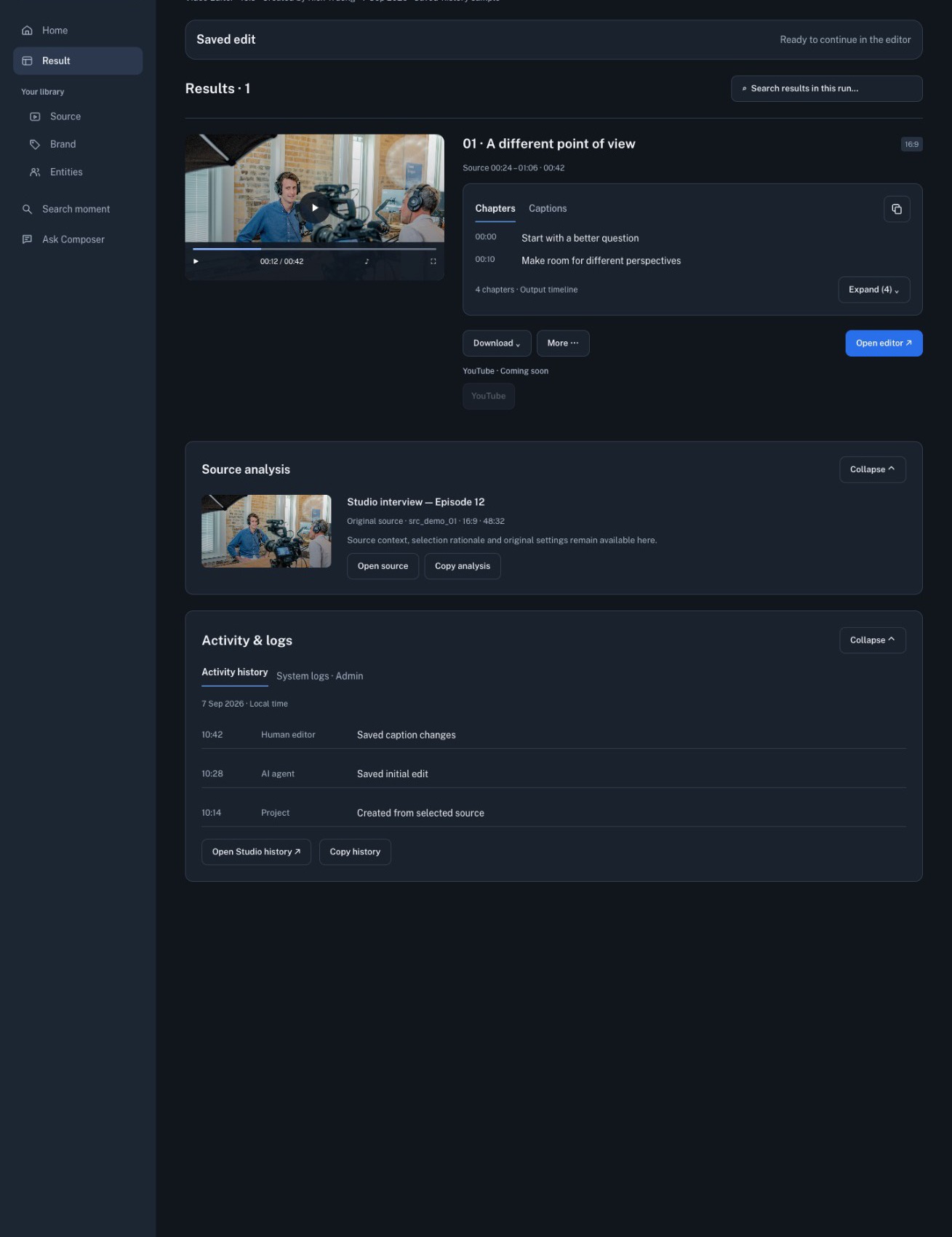
Open the ready result in Studio. Play the complete draft once, then check the script, captions, framing, logo or overlay, intro/outro, audio, and export settings. Make changes in Studio and export only after the rendered preview matches the intended story.
The same sequence works for public demo media and for your own workspace. Never publish a public tutorial screenshot or source that contains customer footage, private names, or account details.