Skip to content

Best practices

Use this workflow to learn Composer with a small, reviewable project before building longer or more complex edits.

Recommended first-session workflow

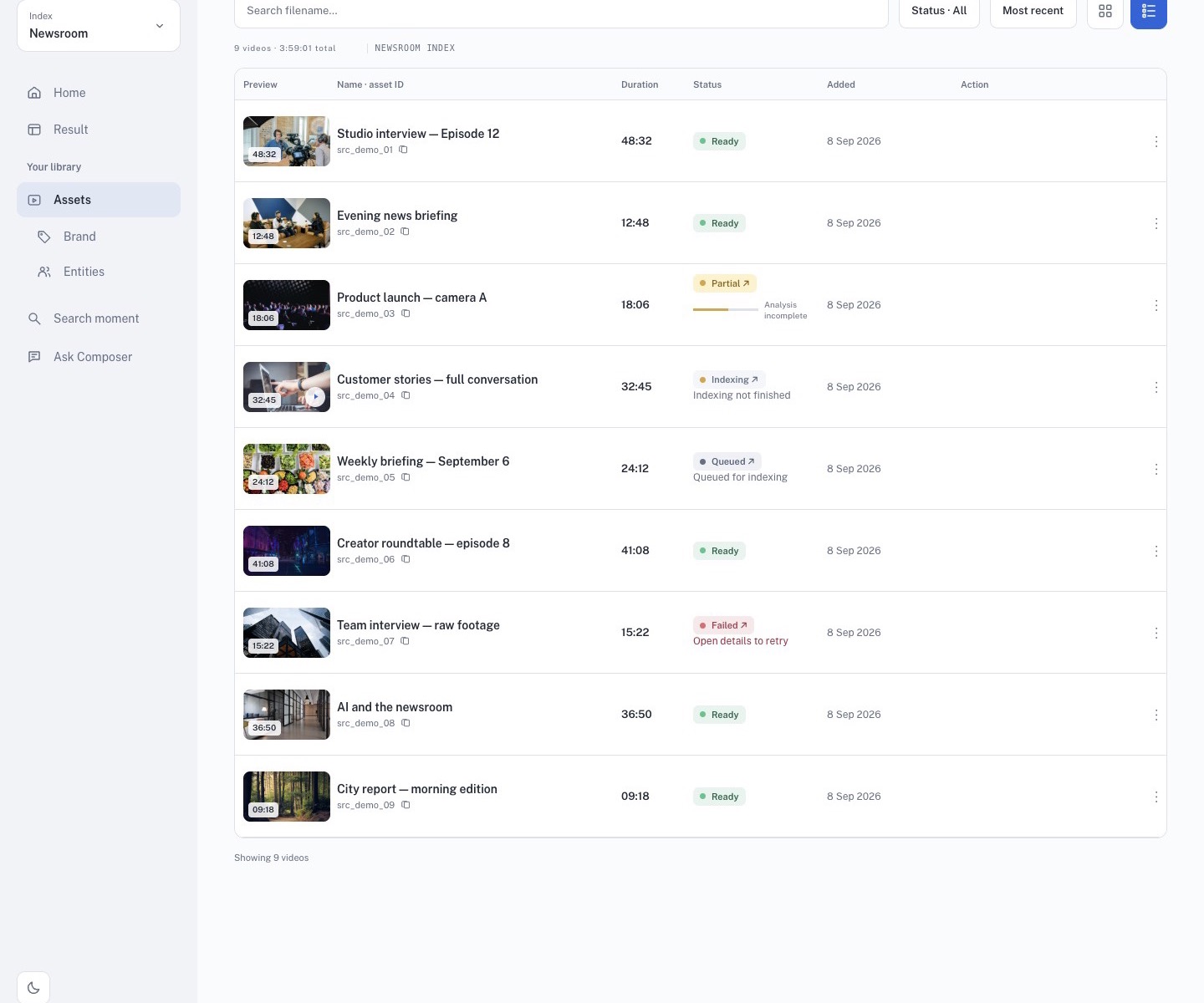
Ready source library in the public demo

  1. Open Sources and confirm the footage you need is ready.
  2. Open Search, filter the source list, and select only relevant videos.
  3. Search for one clear visual or spoken moment at a time.
  4. Preview every result before saving it.
  5. Build the smallest focused Working Set that supports the story. A set can contain up to 10 clips.
  6. Open Produce, write a concise brief, choose the output shape and duration, and generate the first cut.
  7. Follow progress in Produces. Open the project only when Studio is available.
  8. In Studio, wait for clip caching to finish, then review the whole timeline.
  9. Adjust captions, ratio, crop, or Brand Template, then reopen the project to confirm that changes were saved.
  10. Render, download, and play the final MP4 outside Composer before delivery.

Write focused searches

A good Search prompt describes one moment that can be verified on screen or in speech.

Instead ofTry
dramatic sceneperson enters a crowded station
important quotespeaker explains the project timeline
highlightshost introduces the main topic

Use Visual for scenes and actions, Transcription for exact words, and both when the picture and speech must agree.

Keep the Working Set intentional

  • Remove near-duplicates and weak matches.
  • Check that every thumbnail, source title, and time range belongs to the intended scene.
  • Arrange clips in a useful story order before Produce.
  • Duplicate the set before making a substantially different version.
  • Use a clear name that will still make sense in Produces and Studio.

Review the generated draft

The first cut is a starting point. Confirm:

  • body clips and captions exist between Intro and Outro;
  • video, audio, and captions remain aligned;
  • framing and crop follow the active speaker or editorial focus;
  • caption text, names, and numbers match the source;
  • ratio and Brand Template suit the target channel;
  • saved edits remain after leaving and reopening the project.

Continue with Search → Working Set → Produce → Studio for a complete workflow.